
How to find your car in a car park, parking garage or airport
Multi-storey car parks are built so that every level looks the same, which is why so many people come back from the shops or a flight and can't find the car. This guide covers what to note before you walk away, what to do if you have already forgotten where you parked, and how the free Find My Car app saves the spot for you.
How to remember where you parked in a multi-storey car park
Thirty seconds before you walk away saves a long search later. You don't need an app for this:
- Note the level. It is the detail people forget first, and the one a map can't show.
- Look for the zone. Many car parks mark areas with a colour, a letter or a symbol.
- Read the bay or row number, or the number on the nearest pillar.
- Remember which lift, stairwell or exit you used. You will come back the same way.
- Take a photo of the bay number or the nearest sign with your phone camera.
- Take the parking ticket with you instead of leaving it in the car, unless it has to be displayed in the windscreen.
Forgot where you parked in the car park? Try this
- Go back to the lift, stairs or entrance you left through and start from there. Retracing your steps works better than wandering.
- Check your phone: a photo from when you arrived, a payment receipt or a booking confirmation often names the car park, the zone or the level.
- Walk one level at a time and press the lock button on your car key. Listen for the horn and look for flashing lights.
- Ask the staff or use a help point. They get this question every day, and some car parks can look a car up by its number plate.
Not sure which car park, or which street? Read the guide: where is my car? →
Find your car in a parking garage with the Find My Car app
Find My Car is a free app for iPhone and Android that saves where you parked and guides you back. In a car park, use it like this:
- Save the spot before you walk away. Tap Park, or long-press the map to drop the pin yourself.
- Write a note with the level, the row and the bay. Notes are free.
- With Pro, add a photo of the car and of the parking ticket. On Android you can unlock one free photo by watching an ad.
- Follow the walking route back. On iPhone you get turn-by-turn steps and the distance; on Android a route line on the map with the distance and the walking time.
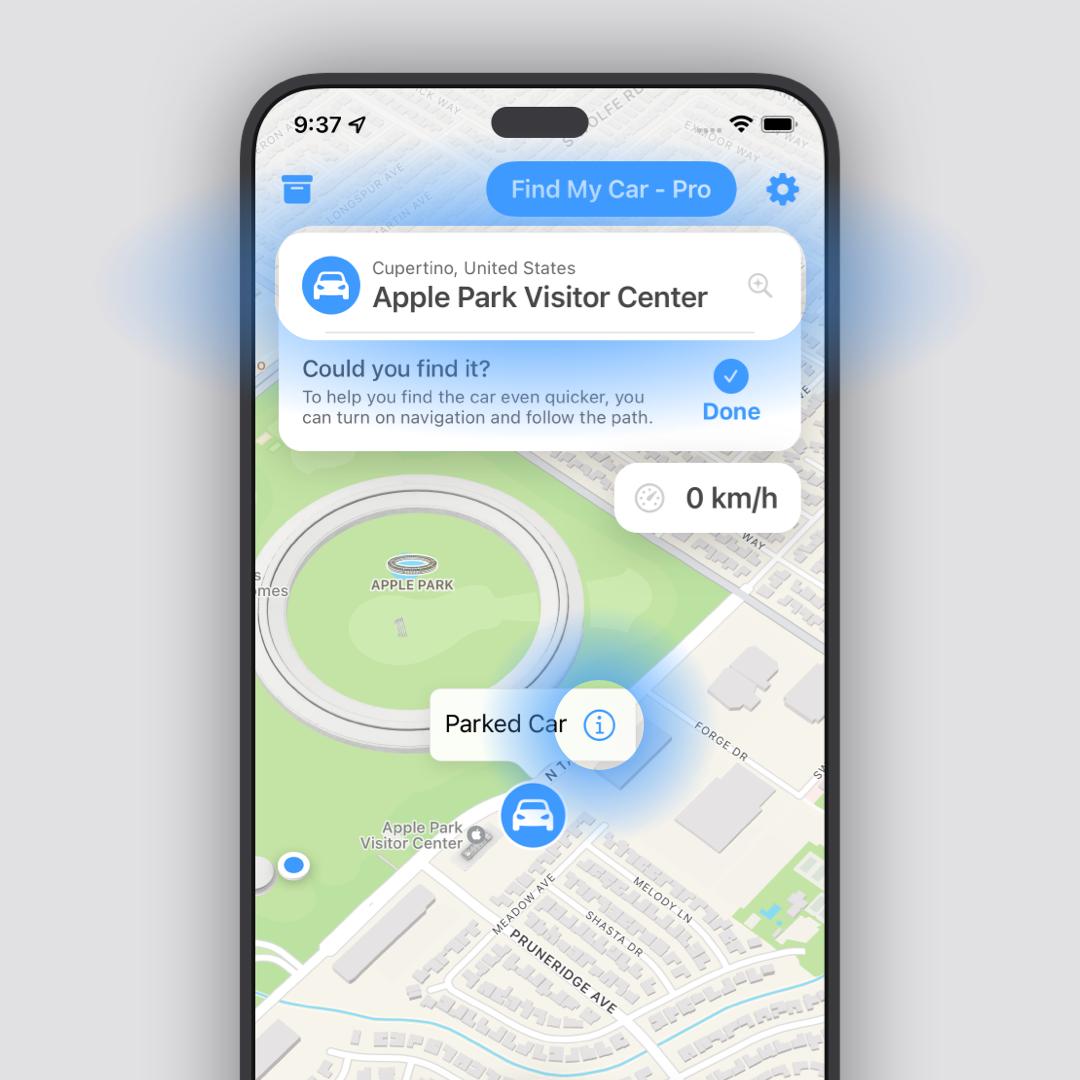
GPS in multi-storey and underground car parks
Be realistic about what a phone can do here. GPS can be weak inside multi-storey and underground car parks, so the pin may land a little off, and a pin on a map cannot show which level you are on. That is why the note matters: look at where the map places you before you save, long-press the map to drop the pin yourself if it is off, and write down the level and the bay. The route takes you back to the right car park, and your note takes you to the right space. On Android the map needs an internet connection.
On iPhone you can turn on automatic parking: the app saves the spot when your drive ends, without you opening it, and you can undo a save. It needs location access set to Always. Free users get a limited number of automatic saves; with Pro they are unlimited. In a car park, still add the level to the note.
Airport parking: find your car after a long trip
After a week or two away, nobody remembers a bay number. Airport car parks are also big, and there are often several with similar names. Before you head for the terminal:
- Save the spot and note the name of the car park, the zone, the level and the bay. Add which bus stop or walkway you used to reach the terminal.
- Find My Car also keeps a history of your parkings: the last 30 days for free, and your full history with Pro.
- Short stay with a time limit? Set a reminder before your parking time runs out.
- Only dropping someone off or picking them up? On iPhone the parking timer shows as a Live Activity on the Lock Screen and in the Dynamic Island, so you can follow it while you wait at arrivals.
- Someone else collecting the car? On iPhone you can share the parking location with them.
Read more about parking reminders →
Questions about finding your car in a car park
How do I find my car in a multi-storey car park?
Start with the level: go back to the lift or stairs you used and check the level and zone signs. Then walk the rows and press the lock button on your car key to hear or see the car. If that fails, ask the staff. Next time, save the spot and note the level before you walk away.
Does GPS work in an underground car park?
Often not well. GPS can be weak in multi-storey and underground car parks, so a saved pin can be a little off, and it cannot show the level. Look at where the map places you before you save, long-press the map to drop the pin yourself if it is off, and add a note with the level and the bay.
How do I remember which floor I parked on?
Write it down before you leave the car. In Find My Car you can add a note with the floor, row and bay to the saved spot for free, and a photo with Pro. A photo of the nearest sign with your phone camera works too.
I forgot where I parked at the airport. What can I do?
Look at your booking confirmation or parking ticket for the name of the car park and the zone, and check your phone for photos from the day you left. Then ask the car park staff or use a help point; some car parks can look a car up by its number plate.
Is the Find My Car app free?
Yes, on iPhone and Android. Saving the spot, notes, a reminder before your parking time runs out, the walking route back and 30 days of history are free. Pro adds photos, your full history and no ads. Prices are shown in the app.
Can Find My Car find a car I never saved, or a stolen car?
No. Find My Car remembers where you parked; it does not track the car itself, so it cannot find a stolen car or a spot that was never saved. On iPhone you can turn on automatic parking, so the spot is saved when your drive ends.